


Healthy Benefits+ (Classic)
3.620.63K Reviews
App Specs
- Version
- 4.8.0
- Updated On
- License
- Free
- Downloads
- 1,000,000+
- Developer
- Solutran, Inc.
- Categories
- Medical
- Platform
- Android, iOS
Screenshots

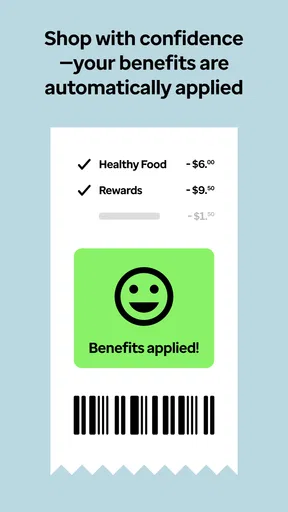
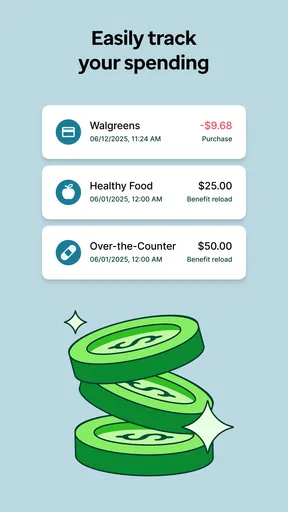
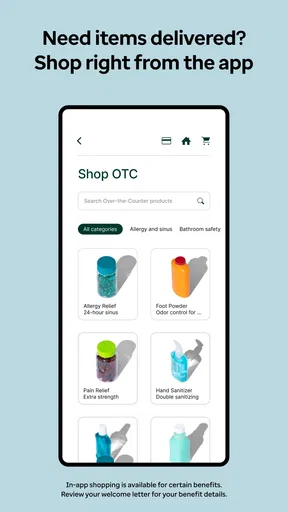
 Analysis by AppCompare
So, I’ve been diving into the world of health apps lately, and let me tell you, Healthy Benefits+ is one that caught my attention. If you're looking to make the most out of your health plan benefits, this app might just be your new best friend. Let’s take a closer look!
What it is, and who it suits
Healthy Benefits+ is a free medical app from Solutran, Inc. Its purpose is narrower than a general wellness tracker: it helps eligible members keep track of benefits and rewards connected with their health plan. That distinction matters. I’d consider it when I already have access to these benefits and want a practical way to check how they can be used, not as a replacement for a doctor’s advice, a health diary, or a general insurance app.
The app is most useful for people who regularly shop for eligible health items and want to avoid relying on memory or printed plan materials. It may be less useful if you rarely use your benefit, prefer handling everything through a website, or don’t have a benefit account that works with it. Before planning a shopping trip around the app, I’d make sure I can sign in and see my own benefit information.
Getting Started with Healthy Benefits+
First things first, downloading Healthy Benefits+ is a breeze. It's available for both Android and iOS, so no worries about compatibility. Once you have it installed, setting up your account is straightforward. You just need your card number, and you're good to go.
The interface is clean and intuitive, which means you won't have to spend ages figuring out how to navigate. Everything you need is right at your fingertips, making it super user-friendly.
Speed expectations and day-to-day use
For a benefits app, the important speed test is whether I can get useful information while I’m making a decision, rather than whether it has flashy animations. A balance check or an eligibility lookup is most valuable before I reach the checkout. I’d open the app while planning or browsing, when there’s time to read the result, instead of treating it as a guaranteed instant fix in a busy queue.
A useful habit is to check the balance before shopping and then use the item lookup for products that are uncertain. That separates two different questions: how much benefit is available, and whether a particular product qualifies. It also helps me avoid treating a balance as permission to buy any health-related item; eligibility still depends on the plan and product.
Worth Reading Before You Choose

EA SPORTS FC Mobile 26 Is a Bigger Football Game, but It Takes Time

Flipboard Shows What News Apps Must Do Beyond the Feed

Switching to Android Auto Means Rethinking Your Driving Routine

Google Calendar Makes a Crowded Week Easier to Manage

Ludo King Makes the Most of the Minutes Between Plans

Baby Panda World Brings Quick Play to Modern Phones, but Its Game Library Feels Busy
Features Worth Noting
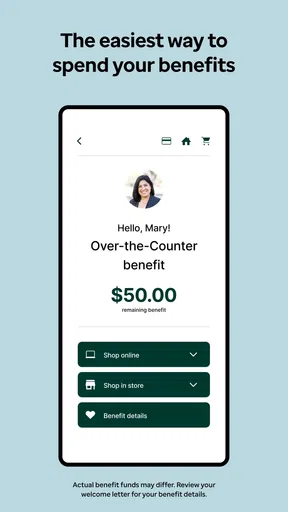
Now, what really makes this app stand out are its features. You can easily check your benefit balance right on the app. No more guessing or waiting on hold with customer service – it’s all there!
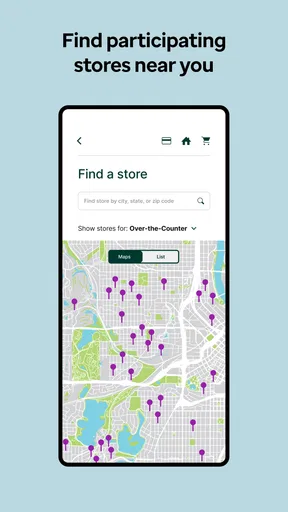
Another cool feature is the ability to find participating stores. The app uses your location to show nearby stores where you can use your benefits. It even provides directions, so you won't get lost on your way to snag those health essentials.
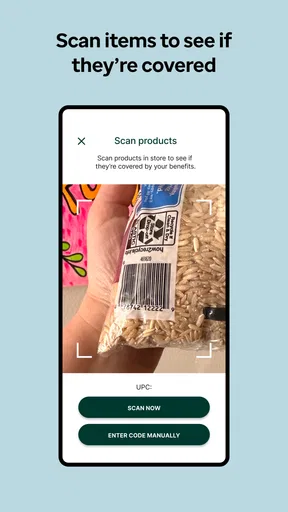
Plus, they’ve got this neat barcode scanner. Just scan an item while shopping to check if it’s eligible under your plan. Talk about convenience!
Those tools work best as a small decision-making workflow, not as a promise that every item or retailer will fit every account. I’d use the store finder to shortlist a convenient location, then scan a questionable product before putting it in my basket. For a planned purchase, checking the balance first gives me a better sense of what to expect. This is more specific than the usual approach of searching general health information or calling support, though a retailer or plan representative may still be a better source when a result is unclear.
Heavy-use moments and practical trade-offs
The app’s value rises when I’m handling several errands: I can check whether a nearby participating store is convenient, look at the balance, and use the scanner for an item I haven’t bought before. A realistic example is picking up household essentials and a vitamin in one trip. Rather than assume both qualify because they seem health-related, I can check the uncertain product and decide whether to buy it or choose something else.
There is a trade-off in doing this at the shelf: scanning and reading the result takes attention, and it can slow a trip if I try to verify every item. I’d reserve the scanner for products where eligibility is genuinely uncertain, and check familiar purchases in advance when possible. A phone’s camera and network access also matter for this kind of in-store workflow, so I wouldn’t make the app my only plan if I expect to shop somewhere with poor connectivity.
Reliability, account access, and recovery
In terms of real-world use, I found the Healthy Benefits+ app to be quite reliable. The updates on benefit balances were spot-on, and I loved how it kept me informed about special promotions and discounts.
One time, I was at a store wondering if a particular vitamin was covered. I just whipped out my phone, scanned the barcode, and voila! Instant answer. It saved me a lot of time and potential embarrassment at the checkout line.
For a smoother experience, I’d sign in and review the balance before leaving home, especially if I’m counting on the benefit for a larger shop. If a screen doesn’t load or an item result is unclear, I’d avoid guessing: set the product aside, try again later, or check with the plan’s support route. That is a sensible fallback for any account-based benefits tool, and it keeps a momentary app problem from turning into an unexpected purchase.
Device constraints and alternatives
The app’s current version is 3.12.0 and it supports Android 8.0 or later; the content rating is Everyone. Its average rating is 3.6 from around 133,000 ratings, and it has more than a million installs. Those figures suggest it has a substantial user base, but ratings alone won’t tell me whether it supports a particular benefit account or how it will behave on my device. I’d check compatibility and access first, then judge it by whether the balance and shopping tools suit my routine.
Compared with keeping a paper note, Healthy Benefits+ can make it easier to check a balance and look up participating stores in one place. Compared with calling customer service, it may be more convenient for ordinary shopping decisions, while a direct support conversation is preferable for a complicated account issue. If I only need broad medical information, a general health app is a better match; this one is specifically useful for managing benefit-related shopping.
Final Thoughts
Overall, I’d say Healthy Benefits+ is a must-have if you’re looking to maximize your health plan benefits. It’s efficient, easy to use, and genuinely helpful in making informed purchasing decisions.
Whether you’re a tech whiz or just someone trying to navigate the complexities of health benefits, this app simplifies everything. Give it a try, and you might find it becomes a staple on your phone!
My performance verdict
I see Healthy Benefits+ as a focused convenience rather than an app that needs to be open all day. Its strongest moments are short ones: checking a balance, locating a participating store, or scanning an unfamiliar item before buying. I wouldn’t judge it by heavy-use performance or expect it to replace plan support, but for an eligible member who shops with these benefits, having those checks in one place can make an ordinary errand less uncertain.
Pros
- User-friendly interface for easy navigation.
- Wide range of health and wellness resources.
- Real-time updates on benefits and claims.
- Secure login with strong privacy measures.
- Comprehensive customer support available.
Cons
- Limited to specific insurance providers.
- Occasional app crashes reported by users.
- Requires constant internet connection.
- Notifications can be overwhelming.
- Some features are region-restricted.
FAQs for Healthy Benefits+ (Classic)
What is Healthy Benefits+ and how does it work?
Healthy Benefits+ is a mobile application designed to help users manage their healthcare benefits more effectively. It allows users to access their benefits, find participating retailers, and track their spending. By logging into the app, users can view their available benefits, redeem rewards, and get notifications about special offers.
Is Healthy Benefits+ free to download and use?
Yes, the Healthy Benefits+ app is free to download on both Android and iOS devices. However, while the app itself is free, it requires an active membership or participation in a qualifying health plan to access its full features. Users should check with their healthcare provider to ensure compatibility.
What features does Healthy Benefits+ offer to enhance user experience?
Healthy Benefits+ offers several features including a user-friendly dashboard, easy access to benefit details, and a store locator for finding nearby participating retailers. Additionally, it provides instant notifications for special offers and enables users to track their spending and remaining balances in real time.
Can I use Healthy Benefits+ without an internet connection?
While some basic features of Healthy Benefits+ may be accessible offline, like viewing previously downloaded information, most functionalities require an active internet connection. This includes updating benefit details, accessing the latest offers, and locating participating retailers. For the best experience, an internet connection is recommended.
How secure is my personal information on the Healthy Benefits+ app?
Healthy Benefits+ prioritizes user security by employing encryption and secure login methods to protect personal information. The app requires users to create a secure account with a password, and it regularly updates its security protocols to safeguard against unauthorized access. Always ensure your app is updated to the latest version for maximum security.


